Cloud-Based Food Delivery App Development Solutions for Businesses
May 13, 2026
What Every Small Business Website Needs Before Launch
May 25, 2026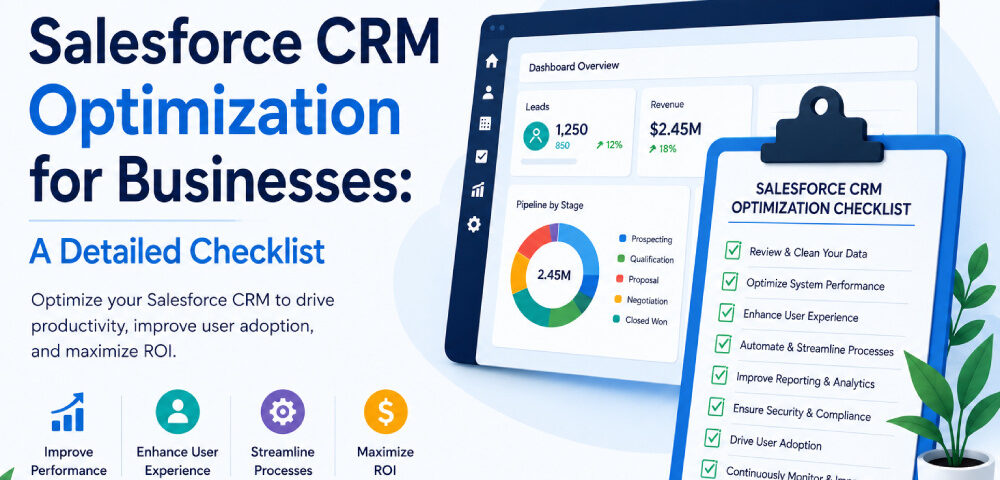
After the Salesforce deployment, many organizations often face similar problems: pipelines inflated with irrelevant entries, reporting that fails to earn trust, and sales teams defaulting back to spreadsheets. What’s the problem here is not the platform, but the real issue lies in how it was configured, adopted, and aligned with the company’s operating model. Too often, Salesforce is activated as a system rather than as a reflection of how the business sells, services, and measures performance. What businesses need is Salesforce CRM optimization.
Salesforce optimization is a blend of strategies, measures and tools to enhance business efficiency, improve user adoption, and drive ROI by working on the existing processes rather than just adding features. The only right measure is to close the structural gap and ensure the platform delivers its potential rather than operating below it. In this blog, we’ll share an effective checklist for you to address it, whether managed internally or with a consulting partner.
Why Does Your Business Need Salesforce CRM Optimization?
- Stronger Data Integrity: Duplicate records and unresponsive erode trust in the system. Optimization enforces consistent data entry standards, so teams aren’t cross-referencing three versions of the same account to figure out which one is current.
- Higher User Adoption: People use tools that work the way they work. When Salesforce is configured around actual workflows rather than generic defaults, the spreadsheet workarounds tend to disappear because they’re no longer necessary.
- More Reliable Sales Forecasting: Clean pipeline data backed by well-structured opportunity stages means forecast numbers reflect what’s happening in deals. Leadership can plan and set targets on something sturdier than optimism.
- Faster ROI on Licensing Costs: Salesforce isn’t cost-effective, and optimization is what turns that cost into a measurable return. It also led to faster deal cycles, less admin overhead, and visibility across the funnel that didn’t exist before.
7 Practical Salesforce CRM Optimization Checklist for Growing Businesses
- Conduct a Full CRM Data Audit
Don’t start with configuration settings until you know what you’re working with. It’s important to check reports on duplicate accounts, incomplete contacts, and older fields. Most Salesforce instances carry years of unstructured records that quietly distort every report built on top of them.
Organizations working with a Salesforce Consulting company almost always start here, and for good reason. Therefore, fix the data first, or you would spend time resolving the issues due to poor data quality and nothing else holds.
- Remove Unnecessary Fields & Page Layouts
Excess fields lead to friction: slow data entry, a loss of focus on important data, and less usability. Do a structured review of important aspects like Leads, Contacts, Opportunities and Accounts and keep only necessary fields for reporting and workflows active; delete others.
As a result, you get a simplified interface, faster input, and records that remain consistent across the platform. These small improvements in usability lead to efficiency and data-quality advantages once applied across the volume of transactions your team handles.
- Automate Repetitive Manual Processes
Manual tasks like logging the same follow-up tasks, copying fields between records, or hand-triggering email sequences consume a lot of agents' time they could spend on core activities. The ‘Flow Builder’ handles task creation, field updates, and notification triggers without custom code. Salesforce optimization here isn’t a technical project as it’s a process mapping exercise: identify what repeats, then stop doing it by hand.
- Align Opportunity Stages to Actual Sales Processes
The default stages provided in Salesforce are generic placeholders, not a reflection of your sales cycle. When teams rely on them unchanged, pipeline data diverges from reality: forecasts lose precision, and coaching becomes guesswork.
So, design stages around the actual decisions buyers make, the points that indicate genuine movement in the deal. Rebuilding the pipeline on those signals restores accuracy, strengthens forecast conversations, and improves reporting integrity almost immediately.
- Establish Role-Based Access and Permission Controls
Access reviews aren’t just an IT compliance checkbox. When a service agent’s view is cluttered with records irrelevant to their role, the platform feels harder to navigate than it should. Tighten profiles and permission sets, so each user sees only what pertains to their work. Errors in critical records drop, and the interface gets cleaner.
Businesses bringing in Agentforce consulting services frequently revisit this as part of AI-readiness preparation; clean access structures underpin everything more advanced built on top of Salesforce.
- Build Reports and Dashboards Around Real Metrics
Standard Salesforce reports are rarely used because they fail to mirror the numbers leadership relies on in weekly reviews and as a result you get clutter without insight. The best way is to engage department heads, identify some key metrics that truly drive decisions, and build dashboards around those priorities. Retire the rest because when Salesforce becomes the authoritative source for performance visibility, adoption strengthens organically.
- Schedule Regular System Reviews
With Salesforce, the number of updates that they have is a lot over the year, and as a result, there is no end to optimization. At the same time, teams restructure and processes shift. Without regular review, configurations drift, automations lose relevance, and the platform reverts to disorder. Therefore, ongoing optimization ensures Salesforce stays close to current operations' goals rather than lagging them.
Conclusion
Salesforce has lots of features for businesses, but the platform can only deliver when it’s been deployed and used properly. Because most Salesforce problems generate from the way implementation work scoped for day one and never revisited as the business changed around it. This is why businesses need Salesforce CRM optimization as it helps in closing the gap between what the platform was supposed to do and what it’s been doing.
Hopefully the checklist we shared in the blog helps you get it right in the first go. If outside expertise makes sense, Agentforce Consulting Services or a qualified Salesforce Consulting company can move things considerably faster.